How to fix a keyboard key that is not working without replacing the whole keyboard!…
Microsoft
Price not stated
Details
- Posted
- 3 Sept 2026
- Location
- Not stated
- Category
- Chargers & accessories
- Condition
- New
Description
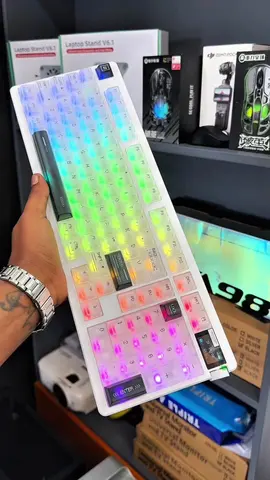
How to fix a keyboard key that is not working without replacing the whole keyboard! ⌨️🔥 Steps: 1 Open Microsoft Store on Windows 2 Search for Microsoft PowerToys 3 Download and install PowerToys 4 Open PowerToys 5 Go to Keyboard Manager 6 Select Remap a key 7 Click Add key remapping 8 Select the new key you want it to become 9Choose the broken key you want to replace 🔟 Click OK This is a simple solution that can help you continue using your keyboard without replacing it. 🔥 New Year special offers are available now! 🖨️ Copy Machines 🖨️ Printers 💻 Laptops 🖥️ Desktop Computers ⚡ UPS ☀️ Solar Solutions 📍 Visit us መስቀል አደባባይ beside to Sematate Museum. Location available on Google Maps 📍 https://maps.app.goo.gl/1pEoFDJWBqV4qFjN7?g_st=atm #KeyboardFix#MicrosoftPowerToys#WindowsTips#ComputerTips#TechTips#Windows11#KeyboardTricks #fyp #ethiopian #fypppppppppppppp#nota #mostviralvideo #ethiopiantiktok #laptopinethiopia#notacomputer #upsinethiopia #laptops #printerinethiopia #printer #UPS #addisabeba #addisabebastore #desktop #powersolution #ecoflowpowersolution #ecoflowinethiopia #kstarinverter #kstarupsinaddisabeba #ecoflow #canonprinterethiopia #hpprinter #hplaptop#copymachine #delllaptop#delldesktop
Meet the seller in a safe place and check the item before you pay.